
The challenge
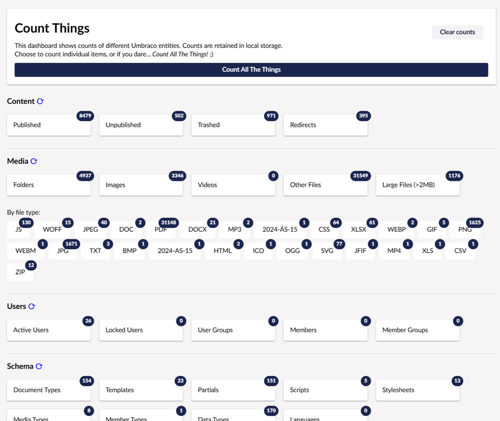
A few months ago I built CountThings, a small Umbraco backoffice dashboard that does exactly what it says on the tin: it counts content, media, users, schema and forms.
Nothing fancy, just a quick snapshot of what’s inside an Umbraco instance — something we’ve found genuinely useful during site assessments before take-on, upgrade or migration.
It was compatible with v13 > v16. Umbraco 17 has now landed as the new LTS release, with support for .NET 10, so it was time to update the package.
I hadn’t touched the codebase in a while and being very new to building packages I’d forgotten half of how the build, test and publish pipeline worked, and I wasn’t sure what breaking changes v17 might introduce. So I paired up with Claude Code directly inside Visual Studio to see how much friction it could remove from the process.
The approach
1. Re‑orienting on the codebase
Claude explored the solution, summarised the architecture, and reminded me how the multi‑targeting in my setup works:
.NET 8 for Umbraco 13/14
.NET 9 for Umbraco 15/16
.NET 10 for Umbraco 17
Each target compiles a separate DLL, and NuGet selects the right one at install time.
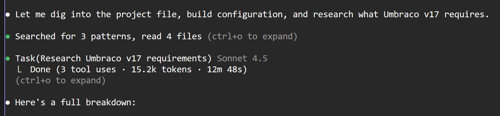
2. Checking Umbraco 17 breaking changes
It dug through the Umbraco 17 docs to see what might break and good news: the backend controller code compiled cleanly against v17 with no changes. The heavy use of reflection I’d built in for cross‑version compatibility paid off and services that changed between versions were already handled gracefully.
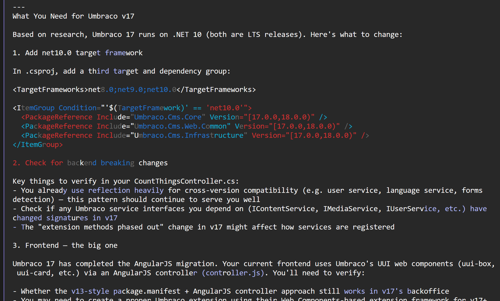
3. The one real fix
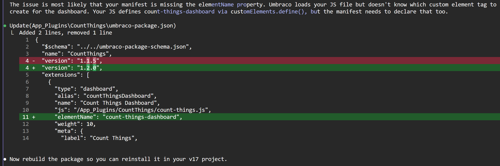
The only change needed was on the frontend. The dashboard extension manifest now requires an explicit elementName property.
Earlier Umbraco versions inferred this automatically from the JavaScript web component, but v17 requires it to be declared. A one-line change, but exactly the kind of thing that can eat an afternoon if you don’t know where to look.
4. Tidying up
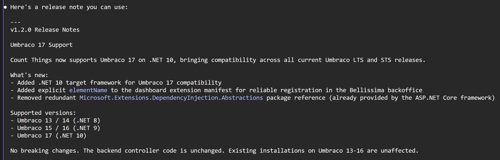
Removed a redundant package reference that .NET 10 is stricter about
Bumped the version to 1.2.0
Updated the README and marketplace metadata
Testing
Supporting Umbraco 13 through 17 means testing across:
Three .NET runtimes
Two fundamentally different backoffice architectures
AngularJS (v13)
Bellissima web components (v14+)
I set up local test instances for each version using SQLite databases, and Claude wrote a small bash script to rebuild the package, uninstall any previous versions of the package from each of the test sites and then reinstall it across all five sites in one go ready for testing.
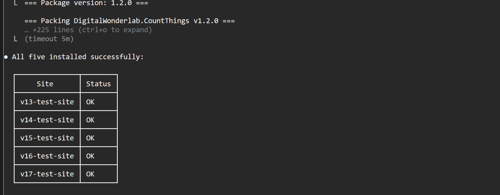
Much faster feedback loop. Everything passed:
No regressions on older versions
Dashboard loads correctly on v17
Counts behave as expected
Verdict?
What I actually found useful about working this way
Lets not pretend that AI is the answer to everything. I think everyone is getting a bit sick of hearing that, but in certain scenarios it's a huge benefit. Having Claude directly embedded into the IDE with access to the code was genuinely useful for:
Getting back up to speed on a codebase I hadn’t touched in months
Researching breaking changes across Umbraco versions without trawling docs
Catching small but critical details like the missing elementName
Automating the boring, repetitive bits (like multi‑site reinstalls)
The whole process from “I should update this for v17” to updated and published on NuGet took a fraction of the time it normally would.
Count Things v1.2.0 is live now, supporting Umbraco 13 → 17.