

We Taught Umbraco to Find Its Own Blind Spots
Ever stared at a media library with 800 images and thought "I wonder which of these are missing alt text"? No? Just us?
Actually, it's one of those problems every Umbraco site has and nobody talks about, until an accessibility audit lands in your inbox with a very long list of failures. So we built something.
What we built
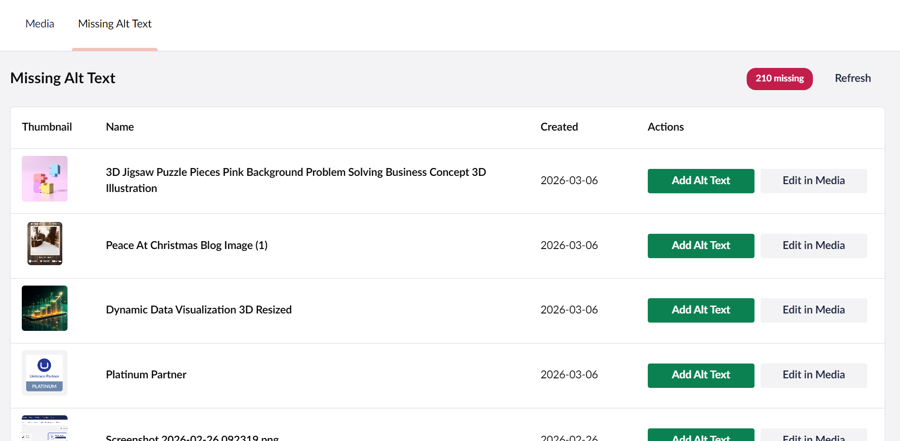
The Missing Alt Text Dashboard is a simple Umbraco backoffice package that does exactly what it says. Open your Media section, click the new dashboard tab, and you've got a clean paginated table of every image missing alt text, thumbnail, filename, upload date, the lot. No more clicking into image edit windows one by one. No more spreadsheets or SEMrush exports. No more guessing.
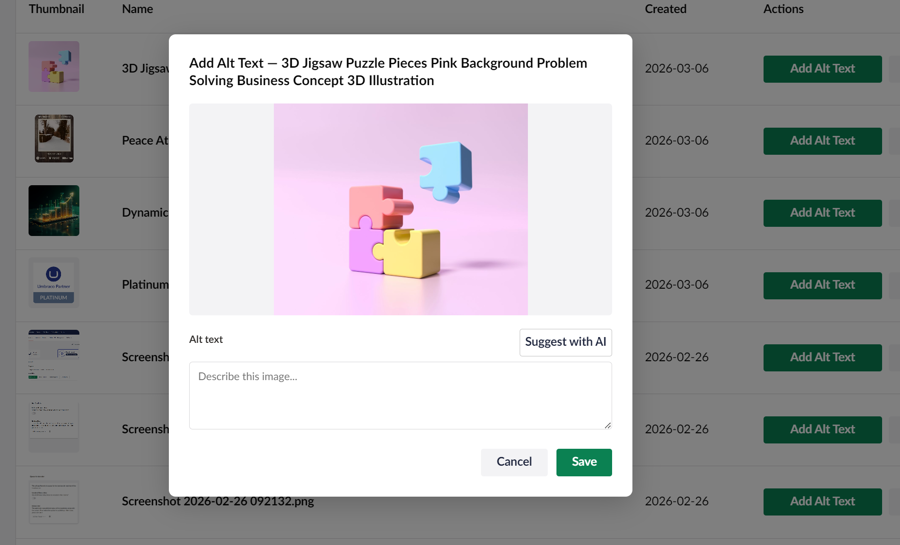
Hit "Add Alt Text" on any row and an inline modal pops up with a preview and a text input. Fill it in, save, and the row disappears. Simple.
The Secret Ingredient
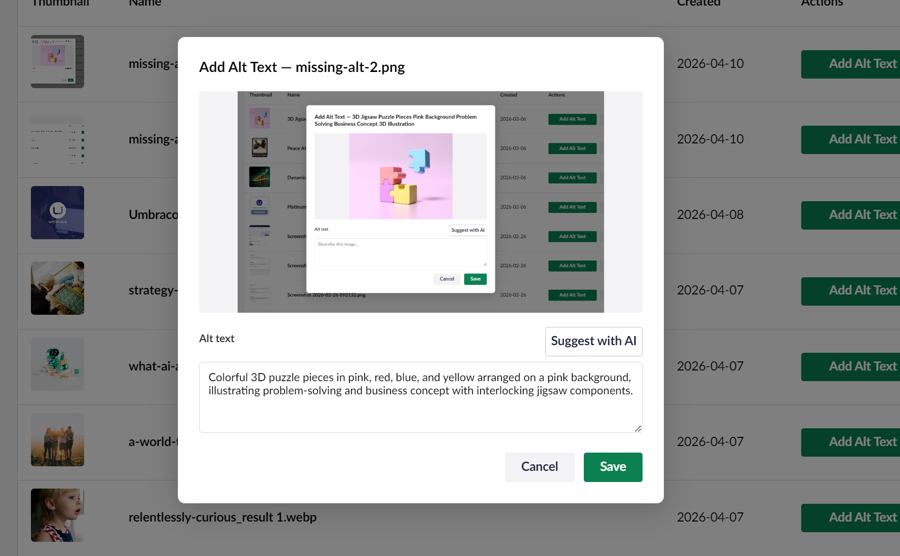
But here's where it gets fun. We added AI vision. Click "Suggest with AI" and the image gets sent to a vision model that analyses it and writes you a concise, screen-reader-friendly alt text. You review it, tweak it if needed, and save. For a library of hundreds of images, that's the difference between an afternoon of tedious writing and a very quick coffee break.
We wired up three AI providers — Anthropic Claude (our primary), OpenAI GPT-4o, and Google Gemini — so there's no vendor lock-in. The system picks up whichever API key you've configured and gets on with it.
The human's still in the loop. AI suggests, the editor approves, exactly how it should work.
Why does this matter?
Alt text isn't just an accessibility checkbox, it's how screen readers describe images to people who can't see them, and it's how search engines understand what an image is about. Missing alt text hurts real users and quietly dents your SEO. It's also one of those things that's easy to get right going forward and a nightmare to fix retroactively... unless you have a tool for it. Which you now do.
This is the kind of thing that comes bundled when you build with Digital Wonderlab. We don't just ship websites, we think about what happens after launch, who's maintaining it, and how to make the boring-but-important stuff manageable. Accessibility tooling built into the backoffice means your editors can actually keep on top of it without a developer getting involved every time.
Speak to us about this and other backoffice tools to make your editors happy!